Thursday, July 3, 2014

#3 Classroom Management-Class Dojo


So for years I have been using a regular "clip-chart" to help with behavior management in my classroom.  You know the one with student's names on clothes pins and you move their name up and down the chart according to their behaviors throughout the day.  In the past few years, this system has worked for me with my students.  This year was different (I had an extremely "chatty" class!!) and the clip chart did not work like it had before.  I will stop right here and tell you that if you do not have a Smart board/Promethean Board in your classroom this is not as easy to implement (you may want to keep your old clip charts up :-)
It started last summer when I was taking a Professional Learning class that introduced me to a website and app called Class Dojo (there are other websites and apps that are comparable to this one but this was just what was introduced to me).  In August 2013, once school started, I did not take the instructor's advice and jump right into using Class Dojo-I LEFT MY CLIP CHART UP!   So for months and months my poor clip chart was not an effective tool within my classroom-most of the Chatty Cathy's were ending up on the "red" each day due to talking.  However, the same behaviors were occurring day in and day out.  In January, a co-worker of mine brought to our attention that there was a cool website that she had begun trying in her classroom called Class Dojo that was helping with the behavior management in her classroom.
It is as simple as inputting student names, and student's earn point all day according to their behaviors.  The student names and icons are listed on the Smart board at all times to show students where they stand.  
It looks like this:


You would be AMAZED at what a little competition does for students!!  Set a goal for all students to earn 10 points for the week.  Then, have an easy reward that does not require you to buy things for the students.  The students are really good with coming up with ideas-chart the ideas and let them pick which one they earn.

The behaviors that your students are rewarded for are able to be customized too!  Here's the screen for that:


Ok and for the best part--you can download the Class Dojo app to your Iphone and take it with you around the school as your are transitioning in the hallways (my students have a real hard time with transitions!).  It records the behaviors that you are rewarding and punishing by taking away points.  When you return to the classroom, they are listed on the Smart board to see.  

So, I hope you like this site and this wonderful suggestion from my friend Mary!! Have a great day!


post signature

Tuesday, June 24, 2014

#2 Coding...our class obsession!

Back in February of this year, I attended the Georgia Gifted Convention in Athens, Ga.  I gained so many great ideas from these workshops!  One idea that I picked up was in a class taught called 50 APPs You Must Have-by Brian Housand (love him-check out his website @Brianhousand.com!), and learned about a site called: Code.org.  Coding is where your students (or you!) learn basic computer programming skills in a fun game-like format.  I thought to myself while in the meeting, "I'm not sure my 2nd grade sweeties will be able to handle this."  So, I took it back to my classroom, and on computer lab day-we tried it.  WOW!  I was astonished at how they took to it.  I had 7-8 year old students who were finishing the whole site activities in a few months. These were not easy to do!  They were very challenging, and I had some resisters and whiners at first because it was a challenge for them. I just said, if you get stuck, "Try it a different way and see if that works!" There is no need to sign your students up, unless you want them to be able to save what they are doing.  My students were good at remembering which puzzle number they were working on from the week before.  Signing them up does allow them to access the website at home too on their account.

Please promise me you will try this with your students.  I do have a classroom full of gifted students, but I'm pretty sure that high achievers (and maybe others) can use this to enhance their learning.  This is a terrific way to promote beginning computer programming with our primary students.

Other coding websites are that I have stumbled across are: 

http://www.kidscoding.com
http://www.tynker.com
http://scratch.mit.edu/


There are many other apps that you can download that work in the same way for your student's devices: Lightbot, Bee Bot, Robofree, Cato's Hike, Hopscotch, Scratch, Daisy the Dinosaur, Cargo-Bot, Tynker,  and My Robot Friend are a few that I have on my Ipad.
Many Android apps are available as well.

Other apps are being added constantly to both platforms,  I have found though that the Code.org website is the easiest for my students to navigate. Here's a screen shot of the Code.org site--yes, you guessed it, they are trying to write code to move the Angry Birds around the platform.  


Good article on Coding....
How to Raise the Next Zuckerberg
http://readwrite.com/2013/04/19/how-to-raise-the-next-zuck-6-coding-apps-for-kids#awesm=~oI6KRnFGZNeEYe


post signature

Tuesday, June 10, 2014

#1 Checkmate...Why play chess with 2nd graders?

Over the next few weeks, I am going to try and post some things that we do in our classroom that I have not mentioned that worked for my class last year...
#1--Play Chess
I know you are wondering why I am posting a blog post about chess.  Chess is a game that promotes intellectual growth and has been shown to improve academic performance among students.  It is a logic game that helps children-adults practice critical thinking skills.
I know you are also wondering how in the world can I fit playing a game into our school day?  I teach a Gifted and Talented class of 2nd graders, and I use a teaching method called Curriculum Compacting.  This just means that I pre-test students before I teach a unit (usually math), then plan the unit based upon what they already know--using extension, enrichment, logic, critical thinking, and flexible thinking activities to fill in the extra time that I usually have because of prior knowledge of students.
So, with all this free time, in walks...chess.  This past year I began by introducing the chess pieces one by one--each week we spent practicing another piece--and playing a game with each piece introduced.  I teach 2nd graders, I didn't think they could handle it!!  So, in the middle of introducing pieces, I went to the Georgia's Gifted Convention in March and was told that we should NEVER introduce one piece at a time.  Ok, so I was a novice and didn't quite know what to do.  We all make mistakes, right?  What the experts said was that you should introduce a few pieces a week.  And so, I searched around for a cute 2nd grade appropriate way to introduce these pieces. I found a website called ChessKids.com that has a wonderful free curriculum for you to use that tells cute stories with each pieces introduced.  When I returned from the Convention I immediately went back and changed how I was introducing the pieces using the materials from Chess Kids.  THANKS to CHESS KIDS for the help.  Go to the Chess Kids website.  You will have to create an account (which is free), then click on Learn, Articles, and Download Free Curriculum. Videos are also on this site to help with demonstrations, and printable posters for your classroom for each piece.  LOVE IT!!  Chess Kids also has an IPAD app that you can download and use :-))


Chess games are expensive but I found a set at the Dollar Tree for 1 dollar-they are rather cheap but will work for my students.  I am only out 1 dollar if they lose the pieces.  At the Gifted Convention, I went ahead and bought a few of the rubber mats (see below)-they are also on Amazon and large chess pieces, but until I get enough of those we will stick to dollar store mats.  


I wanted students to learn how to play on the actual boards first before using their devices (We are a BYOD school).  So, we played on the boards for a while before allowing them to use their devices.  There are many apps that can be bought or for free that allow students to play chess alone or two-player.  Chess Free, Chess Kid, and Solitaire Chess Free are just a few of the ones that we have downloaded.  Many more are out there. Most devices have a chess game already included on the device.

I will admit that some of my students at the beginning did not enjoy chess (I think it was because they weren't sure how to play).  But by the end of our school year, my students were so excited when it was time to play chess each week.  We did not do this everyday, but we did try and incorporate it into our schedule at least 2-3 times each week!


post signature

Sunday, March 16, 2014

January Learning About Penguins

I know that it is not January, however, I have had this idea since then and just thought I would share...
So January in Georgia was unseasonably cold--and we were hit with not one, but 2 ice storms!  We did have to miss school a few days too.  WOW!

Since, we had the cold weather, I thought it would be fun to learn about an animal that we think of living in colder climates-the penguin.  After searching for neat activities, I ran across this website called Nothing But Penguins:
http://www.nothingbutpenguins.com/

It was exactly what I was looking for!!  The site was great in allowing students to learn about the types of penguins-17 types to be exact. 

We spent the week learning about penguins, and finished the week by choosing our favorite  penguin and making a mini-book out of notecards about it.

Here are a few samples of what my students made.  


There were guidelines of information that I wanted included on each card.  I also developed a checklist to help easily grade the book, and allowed students to share their learned information with a partner while comparing and contrasting the learned information with their partner's penguin.  We graphed the penguin sizes, and made an actual life size model of a penguin!

All of the activities that we completed can be purchased on my store on TPT or by clicking on the link below...


Monday, February 17, 2014

Do you have Fidgety Kids?

Yes!  We all do, right?  I just went to a Gifted Meeting (all 2nd grade teachers) last week where our wonderful presenter shared some "fidget stick" ideas that can be placed on student's desk (or inside them) to allow them to fidget when needed.  If you teach gifted children, or any other for that matter, you know that children fidget during the day.  These provide a good outlet for students when they just can't sit still any longer (not that they should be still all day).   Now, if you are like me, I like to have some control.  So, they can have them out during certain allowed times only. They each come from Oriental Trading, but you can get look-alikes from anywhere.
 
1. Metal Mind Teasers
Metal Mind Teasers

Mind Teaser Game Assortment


3. Individual Boggle Games
Letter Games

Puzzle Balls

5. Cube Mind Teasers
Glitter Cube Mind Teasers


7. Brain Maze Puzzles
Brain Maze Puzzles


Let me know if you use these and they work for you!!


post signature

Sunday, February 16, 2014

Gifted and Talented Class

Hello!  I have been given the opportunity this year to teach 2nd grade Gifted and Talented students and can't wait to share with you some things that I have been using with my fabulous class of 22 students. I started planning for the new year in the summer for these sweet darlings (This is the first year our school system has implemented gifted and talented classes in elementary school), and some things didn't go as planned :-(.  However, some things have worked for me and I want to share them with others!!  Here are some gifted activities that I have incorporated into our days along with regular Common Core activities:

Monday: Logic Problems from Logic Safari (This is downloadable online as an e-book on Prufrock Press website--BTW, Prufrock Press has wonderful resources for gifted students!!!)


Tuesday: "T is for Think" Activities--I found this jewel on Amazon!


Wednesday: Primarily Creative--great book to use, you can find it on Amazon too.  This book gets creative juices flowing with lessons in eight areas of creativity including: curiosity, fluency, originality, imagination, awareness, flexibility, elaboration, and perseverance.  My students love it! 


Thursday/Friday: Word a Day-2nd grade/3rd grade Versions- (We use this on Thursday and Friday and actually hang these words up in the classroom on the wall, sorted into Noun, Verb, Adjective, Adverb)  This book gives teachers a fun way to bring in vocabulary instruction.  We do 4 words a week, and then take the quiz at the end of the day on Friday.


We are using Curriculum Compacting so that teachers will have time to bring in the Creative and Flexible thinking, Logic, and other learning activities that gifted students need.  This provides us with much free time that is needed within our  classroom to bring in activities such as chess, some coding activities (YES-I am teaching beginning computer programming to 2nd graders, call me crazy!), learning a foreign language, and research skills.

These are just a few of the things that have worked for me so far.  I will continue to post as things come to my mind that we use.  

I can't wait to share more that we do in the upcoming weeks!!     


Friday, November 23, 2012

Learning About Turkeys


What a terrific Thanksgiving with my family!  This time of year really makes me think about all that we have to be thankful for.  We traveled to South Carolina to visit my husband’s family and now we are back home.  As you can see, I am back in “school-mode”.
We began our nonfiction reading and writing unit before the Thanksgiving holidays.  It was a perfect time to spend talking and learning about Turkeys.  Here are a few of the things I used to help teach about turkeys:

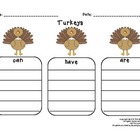
(Turkeys-can, have, are)
Free Thinking Map on TPT:
Turkeys: Can, Have, Are- FREEBIE


Wild About Turkeys-Reading and Writing Informational Texts
It does cost $5.50 but is well worth it!  My reluctant readers said, “Can you please get more of these?”
This unit has 3 different levels of turkey instruction.  Since I teach gifted kids as well as struggling learning, it helped me to differentiate among my students.  The kids LOVED going on a scavenger hunt while learning about turkeys.  We put the scavenger hunt in the hallway and let our students answer the questions while reading and learning about turkeys.  This was also a good introduction about to how to write informational writing!

Here are a few books that I used to help teach about turkeys:
All About Turkeys-by Jim Arnowsky

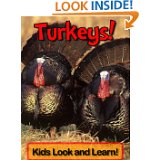
Kindle  Edition (for Smart board)-Turkeys! Learn About Turkeys and Enjoy Colorful Pictures-It is 99 cents but worth the buy.


Cute read-alouds!

Turk and Runt-by Frank Ansley


Twas the Night Before Thanksgiving-Dav Pilkey


Other books that I use to teach about Thanksgiving:
Thanksgiving Is-by Gail Gibbons


Please let me know if you have any other cool “turkey” ideas!


Tuesday, November 20, 2012

Units of Study-Lucy Calkins-Writing

Yes!  I am back. I can't give this blog up yet.  I am determined to post things on a more regular basis.

In my county, we use the Units of Study-Lucy Calkins to deliver our Reading and Writing instruction.  We have been trained for countless hours by the experts involved in the TCRWP.  I have found some awesome detailed plans for those just started out which correlate with the Common Core Standards and they are free!  I LIKE FREE!!!


Grade 2 Units of Study Writing Units and Resources

http://www.pps.k12.or.us/departments/curriculum/2073.htm

Here are the Units and order that we use.

Unit 1: Launching the Workshop
Unit 2: Authors as Mentors (not included on website)
Unit 3: Character Stories (not included on website)
Unit 4: Informational-All About
Unit 5: Informational-How to, Letter Writing
Unit 6: Informational Writing-Research

Exemplar Pieces to go along with our Units (I use these to pull up on my Smartboard):

http://readingandwritingproject.com/resources/student-writing/second-grade.html

(You can now get to these by using the CD that is included with the Units of Study Writing Kits or sign-up online at TRWP (for free) and you will have access to limited amount of resources.)

Included are exemplar pieces for K-Middle School.

That's all for now!

Friday, February 24, 2012

Wow-How quickly the year has flown by!!

Even though it is February, my New Year's Resolution is to try and become more regular with the postings on my blog. I really got tied up this school year in making the math work stations for my classroom this year. I shared the books and websites, in an earlier post, that had some pretty terrific math station ideas! I have been steady making stations to include in each of our Math Units this year.

I am going to try and include some activities that I have made for my students over the course of the past year in case you could use them. I have made a few things for Writing-Creative Writing Prompts that I use during my Daily 5 time. During my Daily 5, which is not put together exactly like the Sisters would like (but I had to use what worked for me!!), I have a certain day designated to Creative Writing--this is separate from my actual Writer's Workshop time during the day. I am including a sample page from my Creative Writing Prompts that I use as weekly independent practice for my students.  I use the front side only for those reluctant writers, but also include more lines on the back for those CREATIVE MINDED students.  Included with the prompts, is a rubric to use to grade the them so that the kids still feel like they are responsible for doing it. I have found that if they do not think I am grading it, they will not do their best on it. With the rubric, I grade things like--capital letters at beginning of each sentence, complete sentences, etc. If you like this prompt, please check out my Teachers Pay Teachers store to buy the complete set of 28 Creative Writing Prompts to use during your Daily 5 time. Please know that I try to keep my prices on TPT affordable!


Saturday, October 22, 2011

My visit to the Ron Clark Academy!!

At my school, we have adopted the Rob Clark Essential 55 as our focus for the year (we did a book study last year on it)--However, since we are in elementary school we narrowed our focus to 10 of these 55 essentials and have them posted in each classroom.  We spend a week on each "rule" and keeping reviewing them until they are followed naturally by the students.  
A few teachers and I got to visit the Ron Clark Academy today.  If you have never been, or heard of him--he and his staff are terrific teachers!  It was truly an inspirational trip--I love going to workshops that inspire you to be the best teacher that you can be.  Not that I was not already trying to be the best I could be but I was reminded of a couple of things.  I was reminded to teach to the higher achievers and the struggling students will rise to meet your expectations.  Teaching 2nd graders has always been challenging because some have the "wiggles" and can't always sit through a mini-lesson.  Instead of having them sit for long periods of time--spice up your teaching with songs and dances that get them moving in between lessons. 
I can't wait to start implementing these great ideas on Monday-we will be UP and MOVING.  I will share any instructional songs that I find--  
Here are the two books that we have read by Ron Clark--My principal's name and story is even in the Molasses book--HOW AWESOME!!

Saturday, October 15, 2011

My Calendar Math (for the Smartboard)--Love it!!

I found these Monthly Calendar Math files for the smart board about 3 years ago on this website: http://www.thewrightroom.com.  The graphics are by Thistlegirl Designs.  We complete these daily during our Math Workshop time.  The calendars cover days of the week, months of the year, date, patterns, expanded form, word form, place value, base ten blocks, multiplying, dividing, counting money, weather,counting by 2's, 5's, etc.  My kids love these--students have been following along with the calendar by writing their own answers on white boards to make it interactive for all.  I start each Math Workshop with calendar.  I love The Wright room for putting these out for everyone to use for free!!!!  You know teachers love a good deal!

Here's one of the first pages from the calendar.

Tuesday, October 11, 2011

Free Noun and Verb Word Sort

https://docs.google.com/viewer?a=v&pid=explorer&chrome=true&srcid=0B2n34CXUaaD3OWNjNGYyZTYtOGM2MC00NWU1LTg2ZjctNzkxYzkxOGNhMDU0&hl=en_US

Here's a free link to my Noun and Verb Word sort.  This is a quick assessment of noun and verb knowledge.  I usually take the sort and run on card stock and laminate for use year after year.

Thursday, October 6, 2011

Math Work Stations/Center Ideas

We have already covered the following math skills this school year:  Counting Money to $1.00, Addition and Subtraction of 1-digit numbers, Addition and Subtraction without Regrouping of 2-digit Numbers, Missing Addends, Fact Families, and Place Value to 100.  I have searched for work centers/stations that cover these topics, and these are what I came up with...

Here are some great ideas for math work stations/centers.  After reading Math Work Stations, I know that I should have a part of my Math Workshop time designated for work stations.  These work stations should be introduced before they are placed into work stations.  They should be review skills that have already been taught to avoid many questions being asked.  They should be explained, practiced, and introduced before you expect the students to actually do these independently so that I can work with small groups of students.

This website is very useful for those classrooms that have access to a large number of computers, or a smart board.  This could be used as a center activity/work station.  The website contains practice games centered around all 2nd grade skills: 
http://www1.center.k12.mo.us/edtech/edm/2.htm

Math Tubs--website contains many good math work stations: What's My Number, Cover 100, Money Cans, Money Bingo, What's My Value, Facts Bingo--that I have made.
http://www.marcias-lesson-links.com/MathTubs.html
2nd Grade Teachers Club--This is a free site.  You must register to get on the forum.  There are very good ideas for all topics.  Sign in--go to forum.  Type in the search box-Extreme Bump It.  These are many free printable games that practice adding 2 and 3 numbers together.  My kids LOVE this game!
http://secondgradeclub.ning.com/

Investigations Grades 2-3 games online for Center Practice-Addition, Subtraction, Place Value, Money
http://investigations.terc.edu/library/Games_23.cfm

Enough online games!!

K-5 Math Teaching Resources-This site has a lot of cool free printable games that deal with number activities (addition, subtraction, doubles, doubles+1, Base ten, Skip counting (2's, 5's, 10's), Making 100, and Ten more)
http://www.k-5mathteachingresources.com/2nd-grade-number-activities.html
If you know of any more 2nd grade center ideas for the above topics please share!!!

Math Work Stations-My New Obsession!

 It's been a long time.  With school starting, it has taken up a lot of my free time.  I hope to get better at this blog thing.  I love to share new ideas with others to help make everyone's job easier.  My new obsession is with Debbie Diller's Math Work Stations.  One of our focuses this year is to make and implement work stations for part of our Math Workshop time so that we can work with small groups of students.  These work stations should be modeled before allowing students to work in them so that you will not have a lot of questions.  I have collected many activities from other websites and blogs that I have made for the "work station" time of day.  It is a 20-30 minute time period (or what your students can handle).  
During this time, I am working with a small group--sometimes a remediation, or re-teaching group, or sometimes an enrichment group.  As I find activities that I use in my work stations, I will share with you--

Total Pageviews